# Helvia Release 5.36.0
### 1. Console Updates
#### 1.1 Filtering Analytics per chatbot deployment
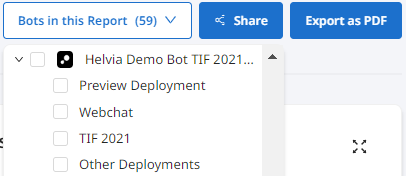
An advanced filtering option is now available in Analytics that allows you to see reports for specific deployments. To filter per deployment, go to the Analytics page. On the 'Bots in this report' field, expand the bot you want to access analytics for and select the deployments you need.
#### 1.2 Availability of question generated variables
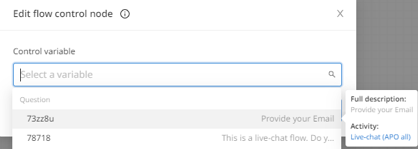
Bot editors will be able to use variables generated by questions in any Activity in the console. The variables are enhanced, displaying question information, for better UX. When hovering over the variable in the dropdown, additional information is displayed, including the full description and the Activity it belongs to.
#### 1.3 Displaying chatbot name when hovering
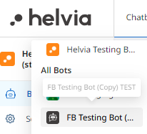
In the list of chatbots on the top left menu, when hovering over a specific chatbot, the full name of the chatbot is now displayed.
#### 1.4 Prohibiting admins to edit user email & name
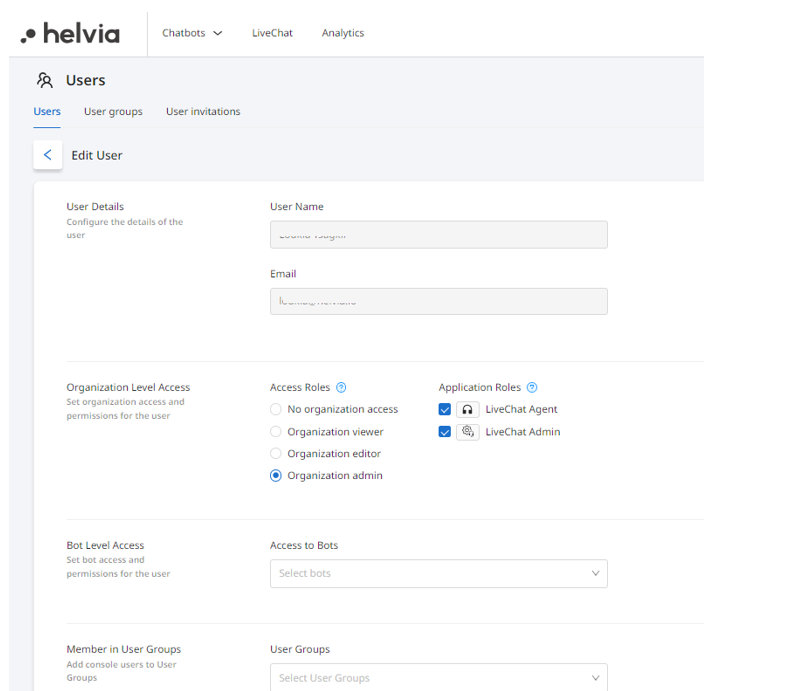
Admins will no longer be able to edit a user's name or email address within the console, once a user has been created. Users can edit their name from their profile directly if needed.
### 2. LiveChat Updates
#### 2.1 Canned Responses & Predefined Actions categorization
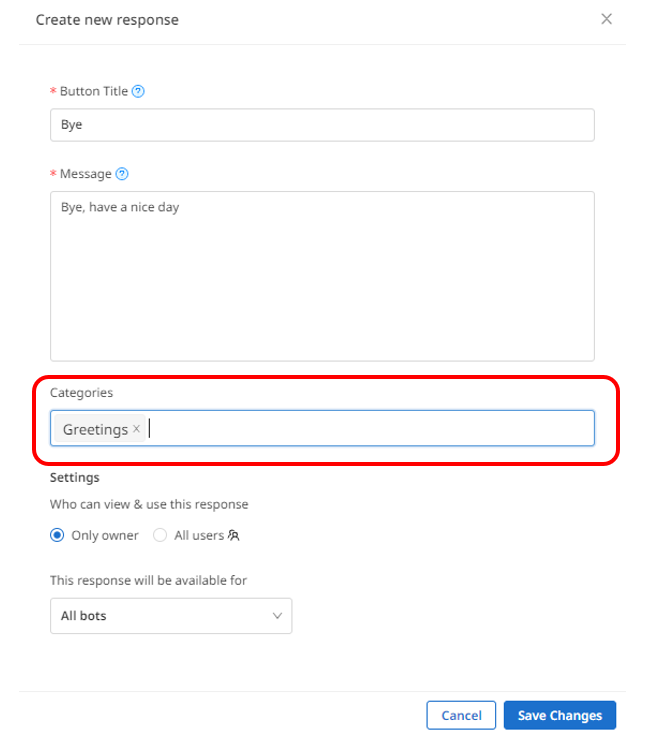
When creating a Canned Response or a Predefined Action, admins will be able to also assign a category for grouping related responses and actions. To add a category, type the category name and press enter in the 'Categories' field, when creating or editing a Canned Response/Automated Action.
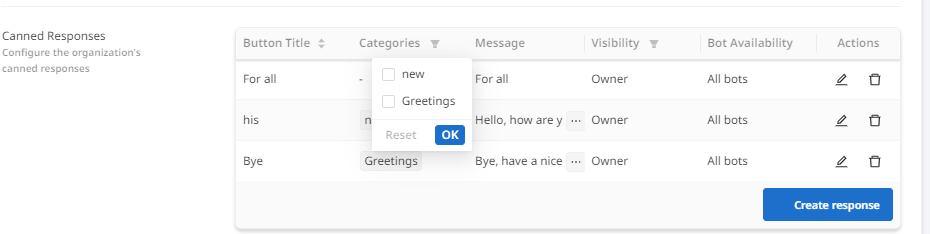
Admins will be able to filter Canned Responses/Predefined Actions per category.
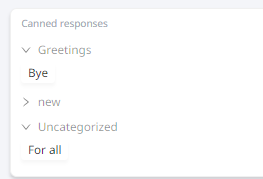
LiveChat agents will be able to select the answer from the related category.
#### 2.2 CRM integration UI updates
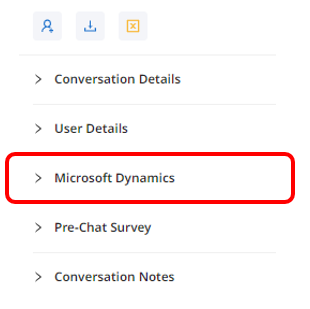
The CRM integration within LiveChat now has a new UI, with the name of the CRM displayed in the conversation information pane. The fields will follow the UI of the rest of the elements.
---
# Agent Instructions: Querying This Documentation
If you need additional information that is not directly available in this page, you can query the documentation dynamically by asking a question.
Perform an HTTP GET request on the current page URL with the `ask` query parameter:
```
GET https://docs.helvia.ai/resources/release-notes/2023/helvia-release-5.36.0.md?ask=
```
The question should be specific, self-contained, and written in natural language.
The response will contain a direct answer to the question and relevant excerpts and sources from the documentation.
Use this mechanism when the answer is not explicitly present in the current page, you need clarification or additional context, or you want to retrieve related documentation sections.